ClawTab

Your AI agents belong in tmux

Keep Claude Code, Codex, and OpenCode alive in real terminal sessions. Control them with cwtctl, web, mobile, Telegram, or the optional macOS GUI while the daemon runs in the background.

New: Two Weeks Rebuilding ClawTab Around a Daemon and tmux.

tmux
Daemon
Remote
macOS GUI
same pane · %16
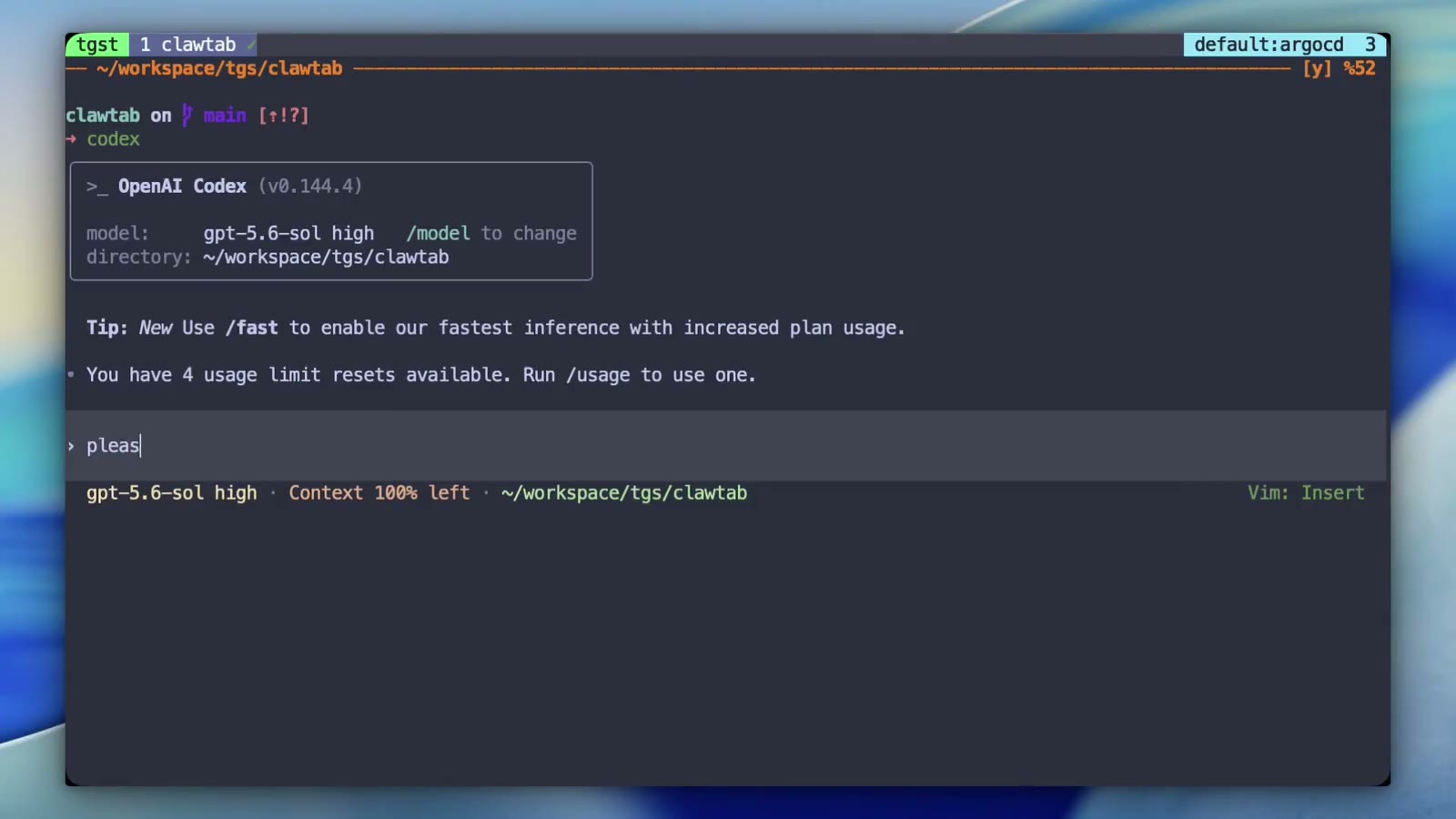
Codex working in tmux while the ClawTab daemon reports agent state
tmux panesource of truth
daemonstate + PTY
every clientCLI · mobile · GUI
Tmux-native control plane

The terminal is the workspace. ClawTab travels with it.

Agents stay inside real tmux panes. The ClawTab daemon keeps their session metadata, live output, questions, and working state available to cwtctl, Remote, and the optional GUI.

  • Run headless after the GUI closes
  • Move and resize views without restarting the agent
  • See asking, working, and finished state in tmux
Read the engineering update

Choose Your Control Surface

Stay in tmux for daily work, reach for Remote when you leave your Mac, and open the GUI when a visual workspace helps.

tmux is the source of truth

Real tmux sessions

Keep Claude Code, Codex, and OpenCode in durable terminal panes that remain available when the desktop window is closed.

01

Optional split-pane GUI

Open existing tmux panes in a polished workspace, place shells beside agents, then return them to the terminal without restarting anything.

02

Secrets Management

Secrets from macOS Keychain and gopass, injected as environment variables. Per-job secret assignment.

03

Headless daemon and cwtctl

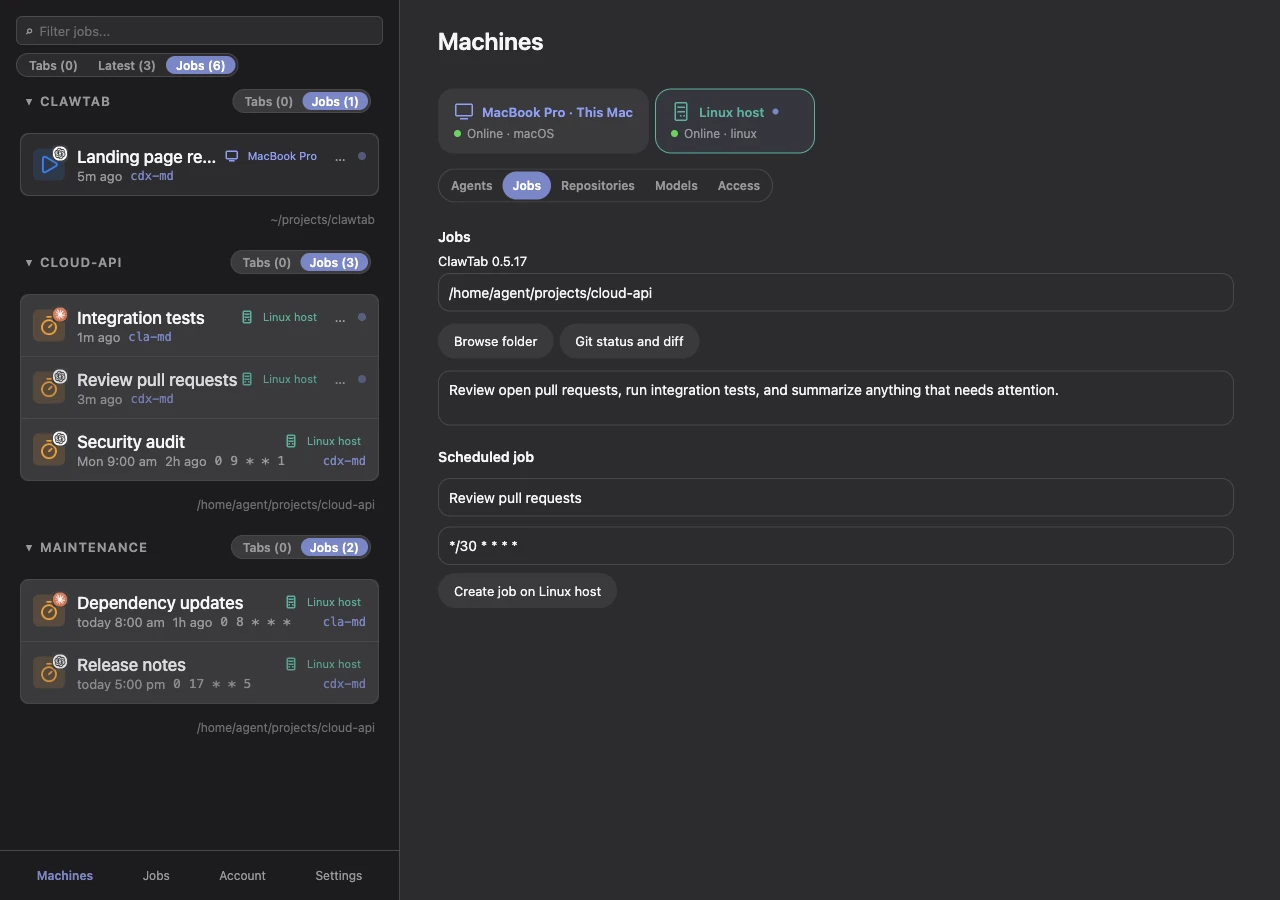
Run schedules, detect questions, stream remote sessions, and manage jobs from the CLI. The GUI is a client, not a requirement.

04

Notifications

Review agent questions and respond with one tap from the mobile app, including persistent choices such as Yes to All.

05

Agent mind maps

When you want a visual overview, map the same daemon-owned Claude and Codex sessions without moving work into a separate runtime.

ClawTab Remote

Your agents stay within reach.

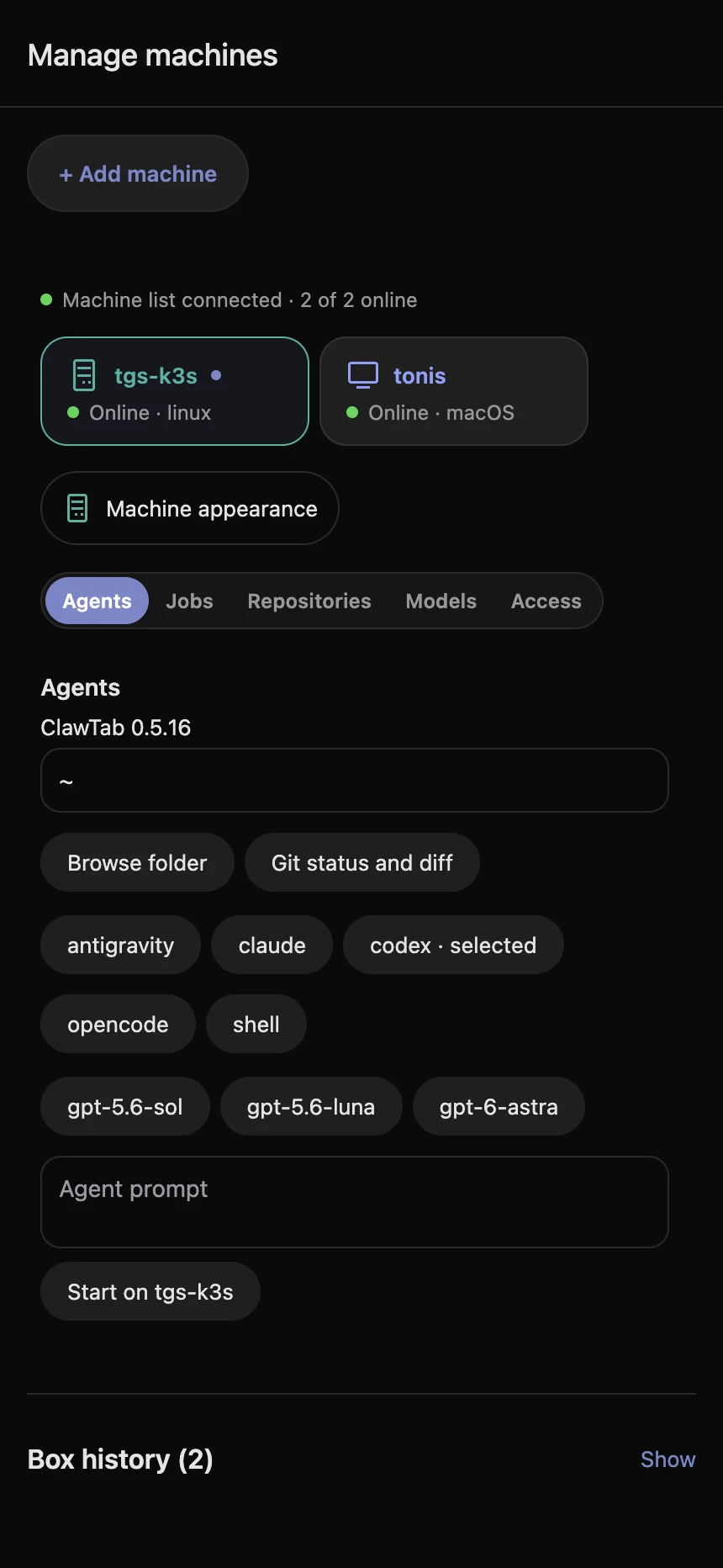
The daemon streams the same tmux panes to iOS or any browser. Watch live sessions, answer permission prompts, and start or stop work without keeping the GUI open.

  • Follow live agent output
  • Answer questions with one tap
  • Get notified when work needs you

How It Works

One tmux session, multiple ways in. The daemon keeps the terminal coherent while you move between surfaces.

1

Agents Live in tmux

Claude Code, Codex, OpenCode, and shells run in real tmux panes. Their processes and scrollback do not belong to a GUI window.

2

The Daemon Tracks Them

A launchd service owns schedules, session metadata, question detection, auto-yes, relay connections, and live pane state.

3

Open the Same Pane

Attach from your tmux terminal, run jobs with cwtctl, answer from mobile, or open the pane in the GUI without starting over.

4

State Follows You

Working and asking markers, pane titles, first and latest queries, secret state, and session identity stay tied to the pane.

See the Same Agent Everywhere

ClawTab adds operational context to tmux without replacing the terminal underneath it.

Two Codex agents work side by side in the same tmux window

Two Codex agents work side by side in the same tmux window

cwtctl manages agents, jobs, panes, secrets, Telegram, and the daemon without opening the GUI

cwtctl manages agents, jobs, panes, secrets, Telegram, and the daemon without opening the GUI

A waiting permission prompt is visible before you enter the pane

A waiting permission prompt is visible before you enter the pane

The latest agent query becomes a useful pane title instead of an anonymous shell name

The latest agent query becomes a useful pane title instead of an anonymous shell name

The in-terminal popup keeps rename, auto-yes, forks, secrets, skills, and session context together

The in-terminal popup keeps rename, auto-yes, forks, secrets, skills, and session context together

A mobile answer is sent back into the same live tmux pane

A mobile answer is sent back into the same live tmux pane


Install

Install via Homebrew, then connect the agent CLIs you already use.

Homebrew

brew install --cask tonisives/tap/clawtab

Start the Headless Daemon

Install the launchd service once. It keeps agents, schedules, Remote, and auto-yes running without the GUI.

cwtctl daemon install
cwtctl daemon status

Mobile App

Download the companion app to control your agents from your phone.

Download on theApp Store

Build from Source

Requires macOS 10.15+, Rust, Node.js, and pnpm.

git clone https://github.com/tonisives/clawtab.git
cd clawtab
pnpm install
cargo tauri build

Produces the clawtab-daemon service, clawtab (GUI), cwtctl (CLI), cwttui (TUI).

Runtime Dependencies

  • tmux (for agent panes and folder jobs)
  • Claude Code, Codex, or OpenCode

Pricing

The desktop app is MIT licensed and free. Pay only if you want hosted remote access.

Self-hosted

Free

Run your own relay server. Full functionality, no limits.

  • Desktop app, CLI, TUI
  • Cron scheduling
  • Secrets management
  • Mobile app (App Store)
  • Push notifications
  • Self-hosted relay server
  • MIT licensed
ClawTab mascot giving thumbs up

ClawTab Remote

$4.99/mo

Skip the server setup. We host the relay for you.

  • Everything in self-hosted
  • Hosted relay server
  • No server to maintain

Frequently Asked Questions

ClawTab is a tmux-native control plane for AI coding agents on macOS. Claude Code, Codex, OpenCode, and shells run in durable tmux panes while a headless daemon adds scheduling, session metadata, question detection, Remote access, cwtctl, and an optional visual GUI.

ClawTab supports Claude Code, Codex, and OpenCode. You can run them in separate tabs or split panes, switch providers when pricing or quality changes, and keep normal shell panes next to agent panes when the workflow needs it.

Yes. ClawTab Remote connects your phone or browser to the daemon through a relay server. It detects pending agent questions across panes, renders answer options as buttons, and sends your response back into the same tmux terminal session.

ClawTab integrates with macOS Keychain and gopass for secrets management. You assign secrets to individual jobs, and ClawTab injects them as environment variables when the job runs. Secrets are never stored in job configuration files or logs.

The desktop app is MIT licensed and free. Remote features can use your own relay server, or you can use the hosted relay subscription.

Tmux handles the terminal layer. ClawTab adds agent metadata, project grouping, searchable sessions, remote question answering, notifications, scheduled jobs, and a desktop/mobile interface for the pieces that are awkward to manage in plain shell.

No. The launchd daemon owns background jobs, scheduling, agent discovery, question detection, auto-yes, Remote connections, and PTY streaming. The GUI is an optional client for visual splits, the Mind Map, settings, and history.

Claude Code Agent View gives you one screen for Claude Code background sessions. ClawTab is a local macOS control center for Claude Code, Codex, OpenCode, and shell panes, with cron scheduling, per-pane auto-yes, Keychain and gopass secrets, iOS remote control, web remote control, Telegram replies, and tmux workspaces that keep running outside the app.

Claude Code Agent Teams coordinates teammates inside one interactive session. ClawTab runs independent Claude Code, Codex, OpenCode, and shell processes in tmux, with separate schedules, secrets, permission policies, and remote controls for unattended work. The two approaches can be used together.

Yes. ClawTab starts Claude Code, Codex, OpenCode, or shell jobs in persistent tmux sessions with cron scheduling, per-pane auto-yes, and phone notifications when a job needs attention.

Cursor is strong for interactive IDE work and Composer parallel agents. Claude Code is terminal-first and works naturally with tmux. ClawTab adds the management layer for independent sessions: scheduling, mobile monitoring, per-pane permissions, and multiple providers running side by side.

The best choice depends on the workflow. Use an IDE such as Cursor for editor-first work, a terminal agent such as Claude Code or Codex for autonomous work, and ClawTab when you want tmux-native sessions with a daemon, cwtctl, remote monitoring, scheduling, and an optional visual control surface.

Looking for ideas to build?

Trending opportunities discovered by TrendSeeker - validate demand before you build.